
Facebook Lite
Meta Platforms, Inc.Social
4.5138.86K Reviews
- Version
- Varies With Device
- Installs
- 1.00B
- Age Rating
- Teen
Screenshots
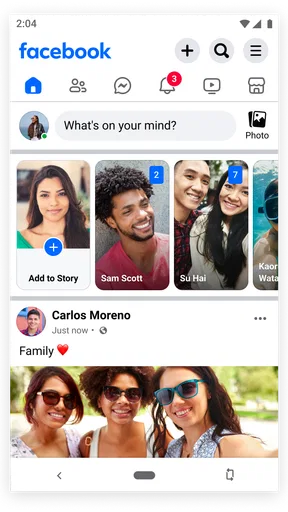
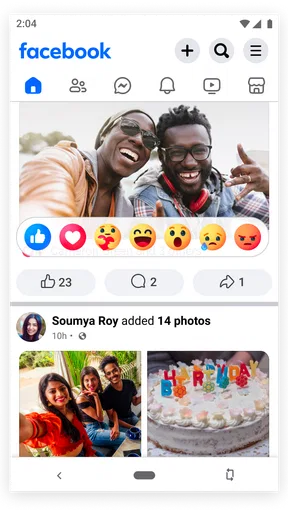
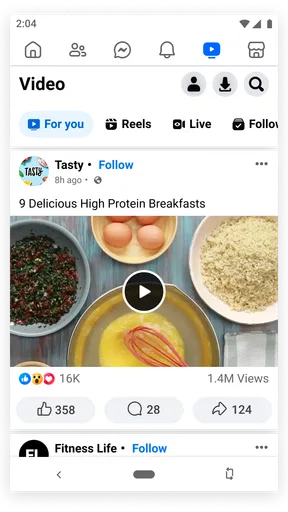
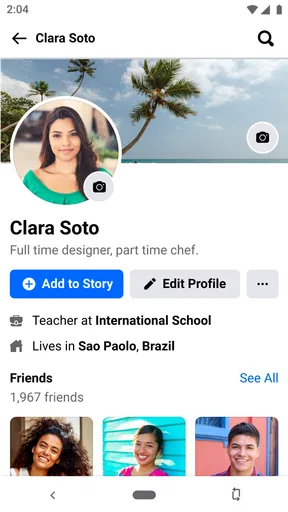

Our Review of Facebook Lite
 Analysis by Appyee
For a first-time user, the main appeal of Facebook Lite is straightforward: it offers a lighter way to check in on the people and groups you already follow. I’d consider it when the regular Facebook app feels like too much for your phone or connection, rather than as a completely different social network. The goal is a useful first visit—sign in, find familiar faces, and take part without needing a polished, media-heavy experience.
What to expect from the lighter app
Facebook Lite is a free social app from Meta Platforms, Inc., released in 2018. It has a 4.5 average rating from around 38 million ratings and has been installed over a billion times. Those figures suggest that many people use it as a practical alternative, but they don’t guarantee the same experience on every phone or network. It is rated Teen, and in-app purchases are listed at prices ranging from $0.29 to $179.99 per item.
I’d set expectations around the tasks that make Facebook useful day to day: looking through updates, reacting, commenting, posting, and keeping up with groups. A lighter interface can make those basics easier to reach when a phone has limited room or a connection is unreliable. It is not the version I’d choose for the richest presentation of photos and animations, and “Lite” shouldn’t be taken to mean that every feature or screen behaves exactly like it does in the full app.
That distinction matters if you are switching from the standard Facebook app. Your account and the people you follow are the reason to use either version; the choice is mostly about how you want to access them. If you mainly want to read a group announcement, leave a quick comment, or share a short update, the lighter approach makes sense. If browsing visual posts is the main point for you, the full app may feel more comfortable.
Getting set up without overthinking it
After installing it, sign in with the Facebook account you already use. I’d start by checking that the feed shows familiar people and groups rather than changing several settings at once. That gives you a simple way to tell whether you have opened the right account and whether the app is useful for your routine. The interface is recognizable enough that the first steps should feel familiar to an existing Facebook user, even if some details are arranged differently.
For a calmer first session, decide what you want to do before opening the feed: check a family update, find a local group, or answer a comment. That small choice helps keep a busy social feed from turning into an aimless scroll. If the connection is slow, give a page a moment to load before tapping repeatedly; rapid taps can make it harder to tell whether an action registered.
Make the first visit count
A good first success is a simple, low-stakes action: open a familiar post, leave a short comment, and then check that it appears in the conversation. Another is finding a group you already belong to and reading its latest discussion. These steps show whether the account, feed, and connection are working without requiring you to learn every part of the app at once.
For example, imagine checking Facebook during a break while waiting for a bus. You want to see whether a relative posted an update and reply before you get back to your day. In that situation, a quick feed check and one comment are more useful than loading every image or exploring unrelated menus. If the app is slow, focus on the text and try again when the connection improves rather than assuming your account has a problem.
Common points of confusion
The first is the assumption that a lighter app must show every part of Facebook in the same way. It may leave out some of the visual polish or features you are used to, so a different-looking screen does not necessarily mean you signed into the wrong account. The second is expecting a data-conscious design to make every connection feel instant. A weak network can still delay loading, and a smaller app cannot remove the limits of the signal around you.
It also helps to separate the app from the Facebook account itself. If a post, group, or conversation is not where you expect, first check the account and the section you opened. Don’t immediately reinstall or switch apps; a quick check of those basics is less disruptive. Messaging is integrated, which is convenient for keeping a short exchange in the same app, though people who prefer a separate messaging app may find that workflow less tidy.
Who will appreciate the trade-offs
I’d recommend trying Facebook Lite if you have limited storage, use a slower connection, or mainly want the practical parts of Facebook without a more elaborate presentation. It can also suit someone who checks a few groups and replies to friends rather than spending time browsing high-resolution media. For those habits, the reduced visual polish is a reasonable exchange for a simpler, lighter way to stay connected.
I’d lean toward the regular Facebook app if photos, animations, and a fuller visual experience are central to how you use the service. If your main need is chatting, a dedicated messaging app may be a better fit than opening a social feed as well. And if you rarely use Facebook, installing either version may not solve a problem you actually have. The useful question is not which app is universally better, but which one fits the way you already spend time on the platform.
Why Go Lite?
If you're wondering why anyone would choose Facebook Lite over the regular app, it all comes down to performance. This app is designed for devices with less storage and slower internet connections. So, if your phone is struggling with space or your data plan is on the skimpy side, this is your lifesaver.
Installation and First Impressions
Downloading Facebook Lite was a breeze. It's only a few megabytes, so it doesn't hog your storage. Once installed, the app opens quickly, and you're greeted with a familiar interface. It’s like seeing an old friend who's lost some weight—recognizable, yet refreshingly different.
Features You’ll Love
The app keeps all the essentials: you can post updates, like and comment on friends' posts, and even join groups. Messaging is also integrated, so you don't need a separate app for chatting. One neat surprise was the data-saving mode, which helps keep your usage low. For those of us on tighter data plans, this is a game changer.
The Trade-Offs
Of course, there are some trade-offs. The app doesn't support all of Facebook’s features. You won't find the same high-quality images or the fancy animations. But honestly, if you're using Facebook Lite, you're probably more interested in staying connected than in eye candy.
Performance and Usability
Speed-wise, this app is a champ. It loads quickly, even on older devices, and runs smoothly without hiccups. The interface is stripped down, but it's intuitive and easy to navigate. Everything is where you'd expect it to be, just without the clutter.
Final Thoughts
In a world where apps seem to be getting bigger and more demanding, Facebook Lite is a breath of fresh air. It’s perfect for anyone looking to stay connected without sacrificing half their phone's storage. If you’re all about the basics and need an app that won’t slow you down, give Facebook Lite a try. You'll be pleasantly surprised at how much it can offer without all the bloat.
Privacy and Permissions
See what permissions an app requests and how it handles your data.
- Device & app history
- retrieve running apps
- Identity
- find accounts on the device, add or remove accounts, read your own contact card
- Calendar
- read calendar events plus confidential information, add or modify calendar events and send email to guests without owners' knowledge
- Contacts
- find accounts on the device, read your contacts, modify your contacts
- Location
- approximate location (network-based), precise location (GPS and network-based)
- SMS
- read your text messages (SMS or MMS)
- Phone
- directly call phone numbers, read call log, read phone status and identity
- Photos/Media/Files
- read the contents of your USB storage, modify or delete the contents of your USB storage
- Storage
- read the contents of your USB storage, modify or delete the contents of your USB storage
- Camera
- take pictures and videos
- Microphone
- record audio
- Wi-Fi connection information
- view Wi-Fi connections
- Device ID & call information
- read phone status and identity
- Other
- view network connections, create accounts and set passwords, read battery statistics, pair with Bluetooth devices, send sticky broadcast, change network connectivity, connect and disconnect from Wi-Fi, full network access, change your audio settings, run at startup, reorder running apps, draw over other apps, control vibration, prevent device from sleeping, install shortcuts, uninstall shortcuts
How Facebook Lite Compares
Full ComparisonChoose Facebook Lite to save data and use essential social features, Instagram for creating and discovering visual posts, or Bigo Live for live video and real-time chat.
| App | Developer | Rating | Price |
|---|---|---|---|
 Facebook LiteThis App | Meta Platforms, Inc. | 4.5 | Free |
 Instagram | 4.0 | Free | |
 Bigo Live - Live Streaming App | Bigo Technology Pte. Ltd. | 4.5 | Free |
Verdict
Strengths of Facebook Lite
- Low data usage, perfect for limited data plans.
- Runs smoothly on older devices.
- Quick installation due to small file size.
- Includes essential Facebook features.
- Works well on slow internet connections.
Limitations of Facebook Lite
- Limited features compared to the main app.
- Basic interface lacks modern design.
- No support for advanced video options.
- Limited customization settings.
- Fewer updates with new features.
Other Releases by Meta Platforms, Inc.
View All


Similar Picks in This Category
View All
Meta Platforms, Inc.4.6

Instagram4.0

Likee-Live, Chat & Party Games
Likeme Pte. Ltd.4.4

TikTok - Videos, Shop & LIVE
TikTok Pte. Ltd.4.0

Moj: Free Short Drama & Reels
ShareChat4.1

Bigo Live - Live Streaming App
Bigo Technology Pte. Ltd.4.5
You May Also Like
View All


Frequently Asked Questions
What is Facebook Lite and how does it differ from the regular Facebook app?
Facebook Lite is a streamlined version of the regular Facebook app designed to use less data and work efficiently on slower internet connections and low-end devices. It retains core features such as News Feed, status updates, photos, and notifications but excludes resource-intensive features to enhance performance on limited hardware.
Can I use Facebook Lite with my existing Facebook account?
Yes, you can log into Facebook Lite using your existing Facebook account credentials. All your friends, posts, and interactions will be synced seamlessly. Facebook Lite offers a similar experience to the full app, making it easy to connect and interact with your network without needing a separate account.
Does Facebook Lite support multimedia features like videos and photos?
Facebook Lite does support multimedia features, including the ability to view and upload photos, watch videos, and share media. However, due to its lightweight nature, some advanced multimedia features may be simplified to ensure optimal performance and reduce data consumption on slower connections.
Is Facebook Lite secure and how does it manage data usage?
Facebook Lite is designed with security in mind, incorporating standard safety measures to protect user data. It is optimized to use less mobile data by compressing images and simplifying the interface, making it ideal for users with limited data plans or those in areas with spotty internet connectivity.
What are the system requirements for installing Facebook Lite?
Facebook Lite is compatible with a wide range of Android devices, requiring Android version 2.3 or higher. It is optimized for devices with limited RAM and storage, ensuring smooth operation even on older smartphones. The app is designed to be small in size, making it easy to download and install on low-end devices.
